
AudioMap 2 for Mac
AudioMap 1 measured your system.
AudioMap 2 takes you the rest of the way.
It guides you from speakers in a room to an aligned, corrected system, and plays that correction on everything you listen to. For a desk pair, a living room, a studio or a PA.
Set up · Measure · Align and correct · Listen everywhere
macOS 13 or later, Apple silicon.
1 · Set up
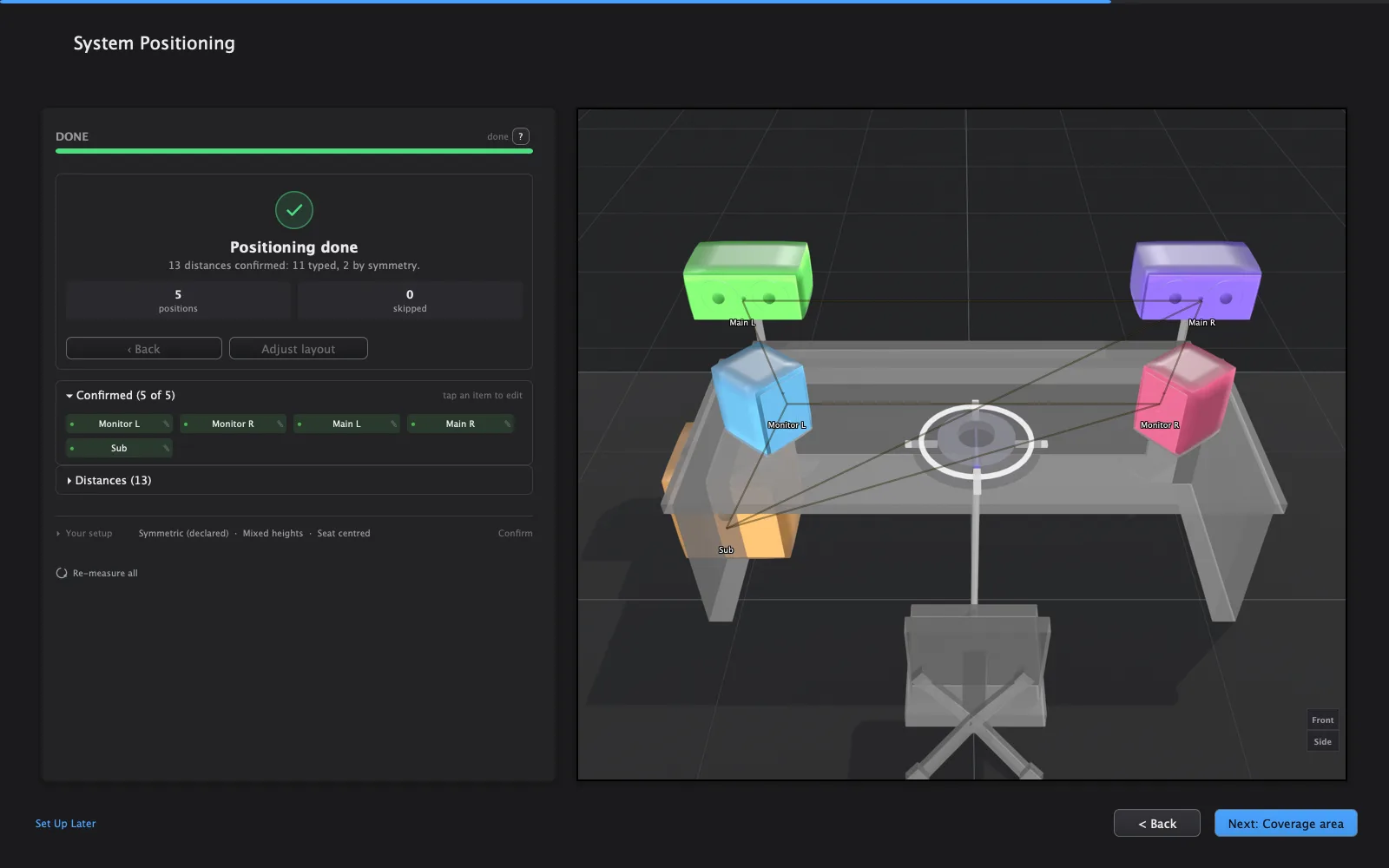
Tell AudioMap about your sound system. It works out where everything sits.
Start from a preset close to what you have, anything from a home hi-fi to a festival PA, and adjust it to match. AudioMap measures each speaker from the microphone and works out where everything sits, including height.
You confirm the layout with a few tape-measured distances, and AudioMap uses them to refine it. It checks your wiring and your measurements as it goes, and tells you what to fix when something doesn’t add up. No loopback cable is needed.
2 · Measure
Walk the mic around your coverage area.
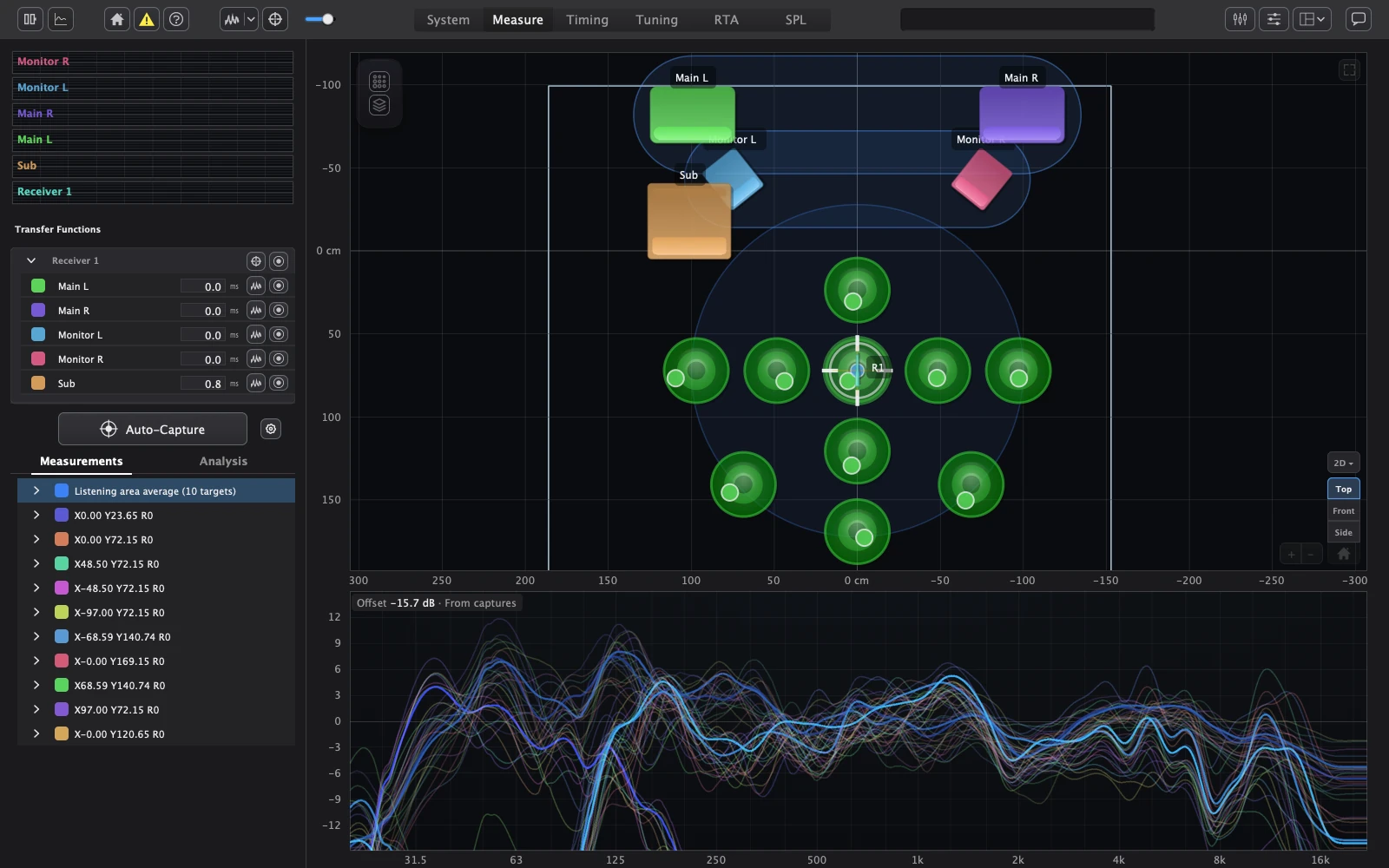
Auto-capture guides you around the area you want the sound system to serve. Walk the mic to each target and hold still, and it captures. Every position adds to one picture of the room.
The heatmap shows how your speakers cover the room at any frequency, including reflections from the room surfaces AudioMap detects. Reverberation, clarity and the room modes that shape the low end come from your own captures.
3 · Align and correct
From your measurements to an aligned, corrected system.
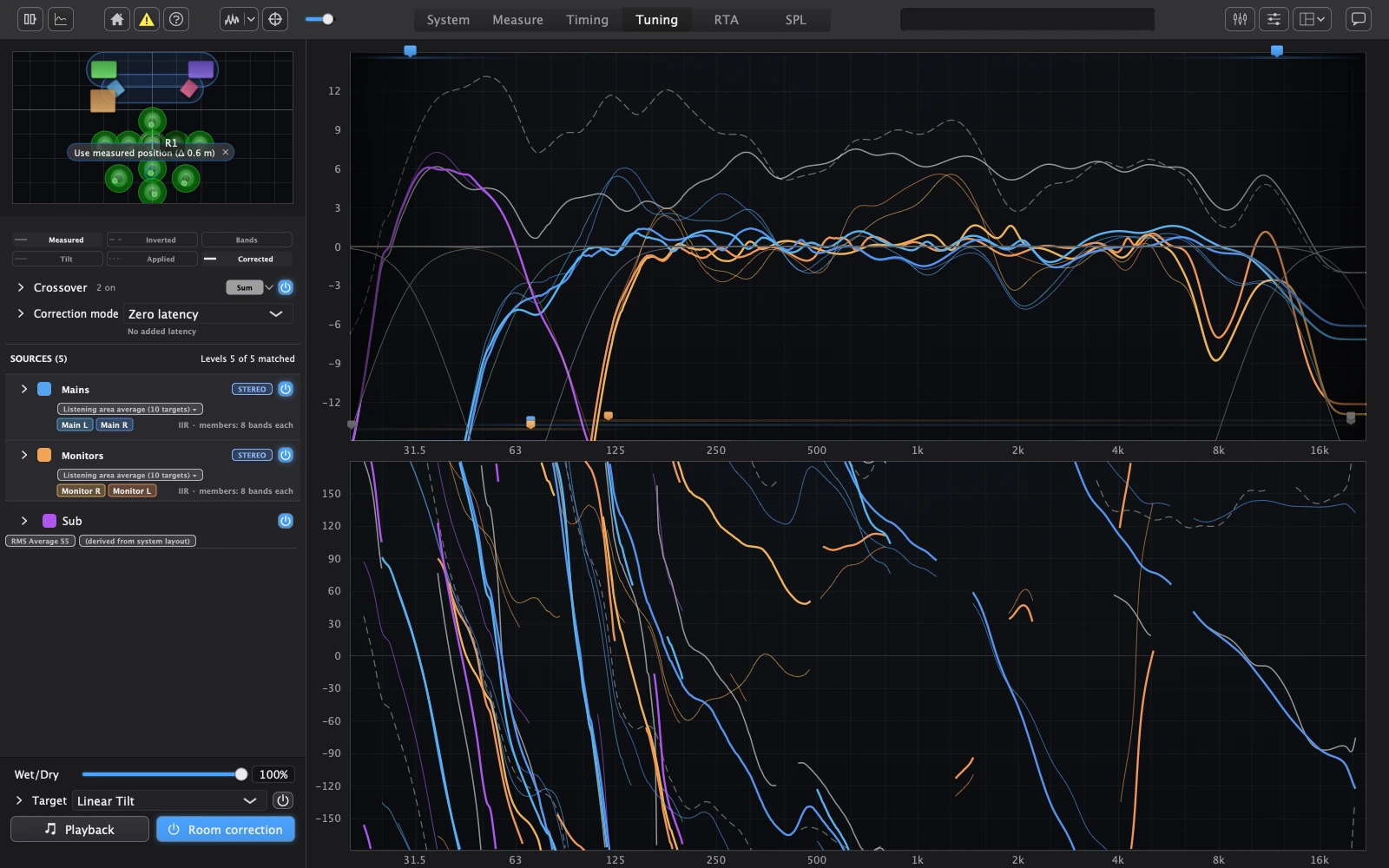
AudioMap sets each speaker’s delay and polarity so their sound arrives together where you listen. With several positions measured, choose the best average or protect the worst seat. It suggests a crossover for each hand-off between subs and tops, based on where the two actually overlap, and draws the predicted sum before you commit.
The correction is fitted to the positions you choose, for each speaker or as one correction for a whole group. Choose how it plays, trading latency for phase accuracy: no added delay for live work, or linear phase where latency doesn’t matter.
4 · Listen everywhere
Hear it on everything you play.
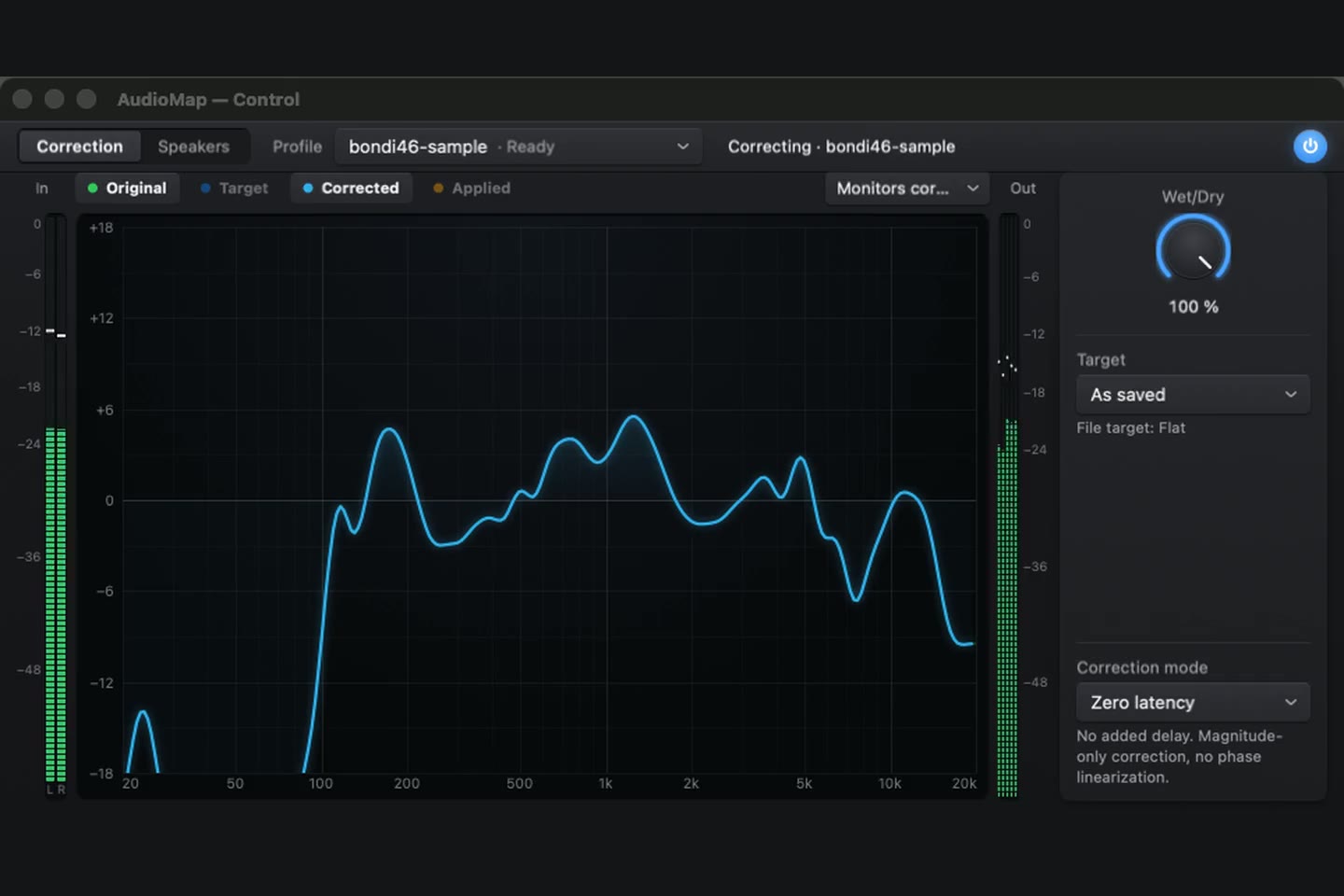
Turn on Correction in AudioMap Control, in the menu bar, and everything your Mac plays runs through your correction on its way to the output you already use. It keeps correcting after you close AudioMap. In your DAW, AudioMap Plugin 2.0 (AU and VST®3) plays the same correction.
Or export it to the processor that runs your sound system, including miniDSP, d&b, Q-SYS, Powersoft and Linea, and keep a PDF report of everything that is playing.
AudioMap Bridge and AudioMap Control · Plugin · Export & PDF report
What you need
Requires a Mac with Apple silicon and macOS 13 or later.
One installer installs AudioMap, AudioMap Control, AudioMap Bridge and AudioMap Plugin. On an older macOS it stops without installing anything, and your current version keeps working.
Your first session
The setup wizard walks you through it, then gets you ready to measure. AudioMap 2 is a free upgrade for every AudioMap 1 owner, with a fresh 12 months of updates counted from the day AudioMap 2.0 is released, and AudioMap 1 projects open in it. If your AudioMap 1 trial has ended, AudioMap 2 starts one fresh trial by itself the first time you open it.
Get AudioMap 2
Free to download and try. Paid editions start at $99, a one-time purchase with 12 months of updates. The pricing page lists what each edition includes.